Scratch vs. Scratch Jr: What’s the Difference?
When introducing students to coding, one of the most common questions educators and parents ask is: Should we start with Scratch or Scratch Jr?
Both platforms are excellent entry points into computer science, but they are designed for different age groups, skill levels, and learning goals. Understanding the differences can help ensure students start their coding journey with confidence—and excitement.
What is Scratch Jr?
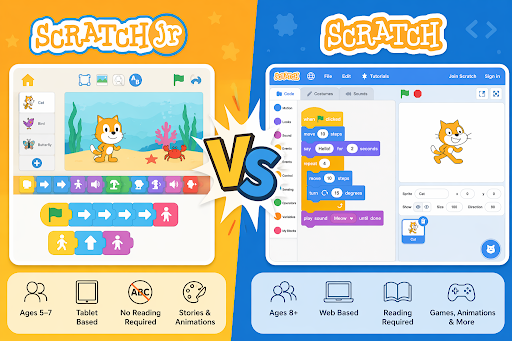
ScratchJr is a beginner-friendly coding platform designed specifically for young learners (ages 5–7).
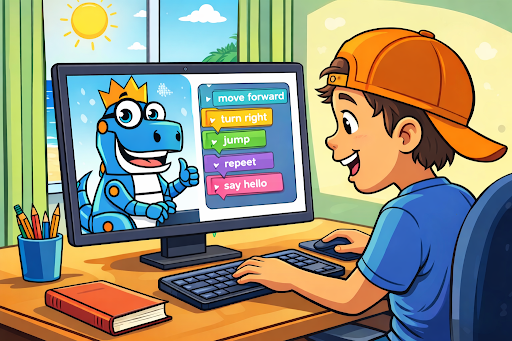
Instead of requiring reading skills, Scratch Jr uses simple, visual programming blocks that snap together to create animations and stories. Students can make characters move, jump, dance, and interact—all through intuitive drag-and-drop commands.
Key Features of Scratch Jr:
- No reading required (icon-based coding)
- Simplified block options
- Focus on storytelling and creativity
- Designed for tablets (iPad/Android)
- Limited complexity to avoid overwhelm
👉 Best for: Early elementary students just starting to explore sequencing, logic, and cause-and-effect.
What is Scratch?
Scratch is a more advanced block-based programming platform designed for students ages 8 and up.
While still beginner-friendly, Scratch introduces more robust coding concepts like loops, conditionals, variables, and event-driven programming. Students can create interactive games, animations, and even simulations.
Key Features of Scratch:
- Text + color-coded blocks
- Advanced logic (loops, conditionals, variables)
- Large online community for sharing projects
- Web-based platform (no download required)
- Supports more complex, multi-step projects
👉 Best for: Upper elementary through middle school students ready to build real coding skills and projects.
Key Differences
While both platforms use block-based coding and emphasize creativity, their design and purpose are quite different.
- Age & Readiness: Scratch Jr is built for early learners who may not yet read, while Scratch assumes basic reading skills.
- Complexity: Scratch Jr keeps things simple with limited blocks, while Scratch introduces more advanced programming concepts.
- Device Use: Scratch Jr is primarily used on tablets, while Scratch is web-based and commonly used on computers.
- Learning Focus: Scratch Jr focuses on storytelling and exploration, while Scratch expands into game design, logic, and computational thinking.
How to Choose the Right Starting Point
Choosing between Scratch Jr and Scratch comes down to one key factor: developmental readiness.
- If a student is still learning to read or new to structured problem-solving → start with Scratch Jr
- If a student is comfortable reading and ready for challenges → start with Scratch
- If unsure → start with Scratch Jr, then transition once confidence builds
The goal isn’t to rush—it’s to build a strong foundation and positive experience with coding.
Why This Progression Matters
Starting with the right platform helps students:
- Build confidence instead of frustration
- Develop logical thinking step-by-step
- Stay engaged through creativity and play
- Transition smoothly into more advanced programming
At Rex K–12, we intentionally align our courses to meet students where they are—whether that’s their very first coding experience or their next step toward real-world tech skills.
Final Thoughts
Both Scratch Jr and Scratch are powerful tools—but they serve different purposes in a student’s learning journey.
Think of Scratch Jr as the on-ramp, and Scratch as the highway. When used together, they create a seamless pathway into computer science that is engaging, accessible, and effective.